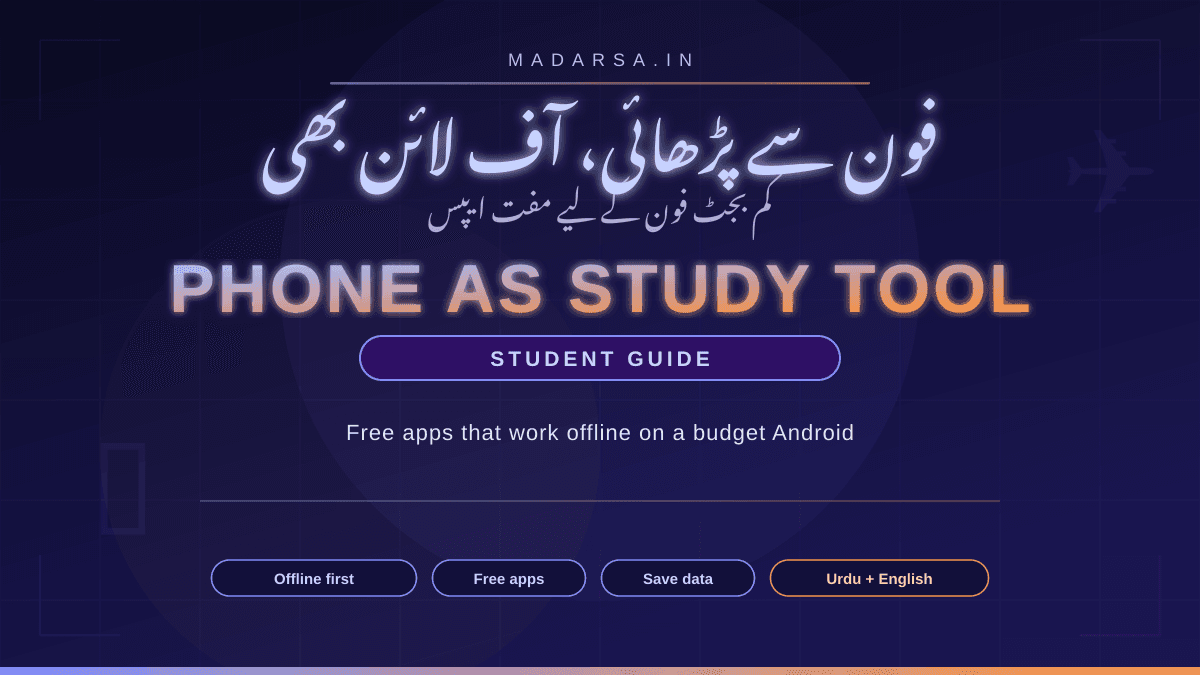
Your Phone as a Study Tool: Free Apps That Work Offline on a Budget Android
آپ کا فون بطور مطالعے کا اوزار: کم بجٹ فون کے لیے مفت آف لائن ایپس

Imranul Haque Noor
An Engineer, an all time Learner and a Learning enabler.
📱 Your Phone as a Study Tool: Free Apps That Work Offline on a Budget Android
You don't need a laptop, a fast plan, or a new phone to study seriously. The ordinary Android in your pocket can hold a library, a flashcard deck, a recorded lecture and a dictionary — all working when the data runs out. Here is how to set it up in one evening.
اردو ترجمہ — Urdu Translation
سنجیدہ پڑھائی کے لیے نہ لیپ ٹاپ چاہیے، نہ تیز انٹرنیٹ، نہ نیا فون۔ آپ کی جیب میں موجود عام اینڈرائیڈ (Android) فون ایک پوری لائبریری، فلیش کارڈز، ریکارڈ شدہ لیکچر اور لغت اپنے اندر رکھ سکتا ہے — اور یہ سب اس وقت بھی چلتا ہے جب ڈیٹا ختم ہو جائے۔ اس مضمون میں ہم سیکھیں گے کہ کم بجٹ فون کو ایک ہی شام میں مطالعے کا اوزار کیسے بنایا جائے: مفت ایپس، آف لائن (Offline) کام کرنے کا طریقہ، ڈیٹا اور اسٹوریج بچانے کے نسخے، توجہ قائم رکھنے کی ترکیبیں، اور سات دن کا آغاز۔
💡 A ₹8,000 phone, 1.5 GB a day, and a NIOS exam
Farhan is preparing for his Class 12 exams through open schooling while helping at his father's shop. His phone cost about ₹8,000 second-hand. His data plan gives 1.5 GB a day, and most of it used to vanish by afternoon — a few YouTube lectures at normal quality and the day was finished. Then a cousin showed him three settings: download lectures at the lowest quality overnight on a relative's Wi-Fi, keep his notes in an app that works without internet, and put the phone into Focus mode from 9 to 11 every night. Nothing about the phone changed. His month changed. (Names and details are illustrative.)
This post is for anyone in Farhan's position — students on shared or budget phones, madrasa graduates picking up a new skill after work, parents learning alongside their children. Every app named here is free to use, runs on an ordinary Android phone, and most of them keep working offline once you have downloaded what you need. We'll be honest about the ones that don't.
اردو ترجمہ — Urdu Translation
فرحان مالیگاؤں میں والد کی دکان پر ہاتھ بٹاتے ہوئے اوپن اسکولنگ سے بارہویں کی تیاری کر رہا ہے۔ اس کا فون پرانا خریدا ہوا، تقریباً آٹھ ہزار روپے کا ہے۔ ڈیٹا پلان روزانہ 1.5 جی بی دیتا ہے اور پہلے وہ دوپہر تک ختم ہو جاتا تھا — عام کوالٹی کے چند یوٹیوب (YouTube) لیکچر اور دن تمام۔ پھر ایک کزن نے اسے تین باتیں سکھائیں: رات کو رشتہ دار کے وائی فائی (Wi-Fi) پر سب سے کم کوالٹی میں لیکچر ڈاؤن لوڈ کرنا، نوٹس ایسی ایپ میں رکھنا جو انٹرنیٹ کے بغیر چلتی ہے، اور رات نو سے گیارہ فون کو فوکس موڈ (Focus Mode) میں ڈال دینا۔ فون وہی رہا؛ مہینہ بدل گیا۔ (نام اور تفصیلات مثال کے طور پر ہیں۔) یہ مضمون ہر اُس شخص کے لیے ہے جو فرحان کی جگہ ہے — اس میں بتائی گئی ہر ایپ مفت ہے، عام اینڈرائیڈ فون پر چلتی ہے، اور زیادہ تر ایک بار ڈاؤن لوڈ کے بعد آف لائن بھی کام کرتی ہیں۔ جو نہیں کرتیں، ان کے بارے میں ہم صاف بتائیں گے۔
🔁 The one habit that changes everything: download once, study anywhere
Most people use a phone online-only: open the app, stream the video, close it, and tomorrow stream it again. On a budget plan that is expensive and on a bad network it is impossible. The alternative is a simple loop. Download when the network is good and cheap. Study offline, wherever you are. Take notes offline. Let everything sync the next time you're connected.
Why this works on a budget
Downloading at the lowest useful quality, once, is far cheaper than streaming at default quality every day — and an offline lecture cannot buffer. It also removes the biggest hidden cost of a phone: notifications. A downloaded video plays just as well in aeroplane mode.
اردو ترجمہ — Urdu Translation
اکثر لوگ فون کو صرف آن لائن (Online) استعمال کرتے ہیں: ایپ کھولی، ویڈیو چلائی، بند کی، اور کل پھر وہی ویڈیو دوبارہ اسٹریم (Stream) کی۔ کم بجٹ پلان پر یہ مہنگا ہے اور خراب نیٹ ورک پر ناممکن۔ اس کا حل ایک سادہ چکر ہے: (۱) جب نیٹ ورک اچھا اور سستا ہو تو ڈاؤن لوڈ (Download) کریں؛ (۲) جہاں بھی ہوں آف لائن پڑھیں؛ (۳) نوٹس آف لائن لکھیں؛ (۴) اگلی بار انٹرنیٹ ملنے پر سب کچھ خود سنک (Sync) ہو جائے۔ یہ اس لیے کام کرتا ہے کہ کم کوالٹی میں ایک بار ڈاؤن لوڈ کرنا روزانہ عام کوالٹی میں اسٹریم کرنے سے کہیں سستا ہے — اور ڈاؤن لوڈ کی ہوئی ویڈیو کبھی رکتی (Buffer) نہیں۔ ساتھ ہی فون کا سب سے بڑا پوشیدہ خرچ — نوٹیفکیشن — بھی ختم ہو جاتا ہے، کیونکہ ڈاؤن لوڈ کی ہوئی ویڈیو ایروپلین موڈ (Aeroplane Mode) میں بھی اتنی ہی اچھی چلتی ہے۔
📈 What this post gives you
None of these apps ask you to pay to study. A few offer paid extras — we'll say so — but the offline, learning parts are free. Everything here is on Google Play; you never need to sideload an APK from a random website, which is where most phone problems begin.
اردو ترجمہ — Urdu Translation
اس مضمون میں دس مفت ایپس ہیں، سب گوگل پلے (Google Play) پر موجود ہیں، اور ان میں سیکھنے کی سات ایپس ایک بار سیٹ کرنے کے بعد پوری طرح آف لائن کام کرتی ہیں۔ پورا نظام ایک شام میں سیٹ ہو جاتا ہے۔ کوئی ایپ پڑھنے کے لیے پیسے نہیں مانگتی؛ چند میں ادا شدہ اضافی خصوصیات ہیں — ہم بتا دیں گے — مگر سیکھنے اور آف لائن والے حصے مفت ہیں۔ کسی بھی انجان ویب سائٹ سے اے پی کے (APK) ڈاؤن لوڈ کرنے کی ضرورت نہیں — فون کے زیادہ تر مسائل وہیں سے شروع ہوتے ہیں۔
🧰 The apps — what each one does, and whether it works offline
📝 Notes and memory
🗒️ Google Keep — notes that never need a network
Type, dictate or photograph your notes. Keep works fully offline and syncs when you reconnect. Use colour labels per subject and pin the note you're revising this week. Free with any Google account.
🃏 AnkiDroid — flashcards with spaced repetition
The free, open-source Android version of Anki. Make a card for every fact you keep forgetting; the app decides when to show it again so you review just before you'd forget. Works completely offline; a free AnkiWeb account backs up your decks. (The iPhone app, AnkiMobile, is paid — Android users get it free.)
🎙️ Recorder — record the lecture, replay it on the bus
Your phone's built-in voice recorder (or any free one) turns a live class or a study group into an audio file you can replay offline. Always ask the teacher first. A one-hour recording at modest quality is around 30 MB.
📚 Lessons and textbooks
🎓 Khan Academy — maths and science, downloadable
Free lessons from basic arithmetic to Class 12 maths, physics, chemistry and biology, plus practice exercises. The Android app lets you download videos to watch offline. Content is in English (with some Hindi), so it doubles as English listening practice.
🇮🇳 DIKSHA — the government's school app, offline-ready
Run by the Ministry of Education and NCERT. Scan the QR code printed in NCERT and many state-board textbooks to get videos and practice content for that exact chapter. Content can be downloaded and used offline. Available in many Indian languages including Urdu.
📖 ePathshala — every NCERT textbook, free
NCERT's own app and website for downloading full textbooks as e-books, Class 1 to 12, in English, Hindi and Urdu. Download once, read offline forever. For competitive-exam preparation the NCERT books are the foundation, and here they are free.
🔍 Reference and language
🌐 Wikipedia app — save articles for offline
Tap the bookmark icon on any article and it is stored on the phone, images included. Build a reading list for a topic on Wi-Fi, read it offline. Free, no ads, available in Urdu and Hindi as well as English.
📦 Kiwix — an entire encyclopaedia, no internet
A free, open-source reader for offline content packs (“ZIM files”) — Wikipedia, Wikibooks, Wiktionary, Project Gutenberg books and more. Packs range from a few hundred MB for a single topic to roughly 100 GB for the full English Wikipedia with pictures (text-only and subject packs are far smaller). Download once on Wi-Fi to an SD card; it works with no network at all.
🔤 Google Translate — download Urdu, Hindi and English for offline
Under “Downloaded languages”, save the languages you need and translation, camera translation and the dictionary work offline. Each language pack is small. Type an English word from your textbook, get the Urdu meaning, no data used.
▶️ YouTube — offline saving, with honest caveats
In India, the YouTube app has long let you save many videos for offline viewing without a paid subscription, at lower quality — look for the Download button under a video. Downloads stay for a limited period before the app must reconnect, some creators disable the feature, and if the app asks for Premium that video isn't eligible. Set download quality to the lowest readable setting and do it on Wi-Fi at night.
How to read the list: Keep, AnkiDroid, Recorder, DIKSHA, ePathshala, Wikipedia-saved articles and Kiwix are fully usable offline once set up. Khan Academy and YouTube need you to download videos in advance and reconnect periodically. Google Translate needs one download per language.
اردو ترجمہ — Urdu Translation
نوٹس اور یادداشت: گوگل کیپ (Google Keep) — لکھ کر، بول کر یا تصویر لے کر نوٹس بنائیں؛ پوری طرح آف لائن چلتی ہے، انٹرنیٹ ملنے پر خود سنک ہو جاتی ہے۔ اینکی ڈرائیڈ (AnkiDroid) — مفت اور اوپن سورس فلیش کارڈ ایپ جو ہر بھولنے والی بات کو عین بھولنے سے پہلے دوبارہ دکھاتی ہے (اسپیسڈ ریپیٹیشن — Spaced Repetition)؛ مکمل آف لائن؛ آئی فون کا ورژن ادا شدہ ہے، اینڈرائیڈ پر مفت۔ ریکارڈر (Recorder) — استاد کی اجازت سے لیکچر ریکارڈ کریں اور بس میں دوبارہ سنیں؛ ایک گھنٹے کی ریکارڈنگ تقریباً 30 ایم بی۔ اسباق اور کتابیں: خان اکیڈمی (Khan Academy) — بنیادی حساب سے بارہویں کی ریاضی، فزکس، کیمسٹری اور بیالوجی تک مفت اسباق، ویڈیوز آف لائن دیکھنے کے لیے ڈاؤن لوڈ ہو سکتی ہیں؛ زبان انگریزی (کچھ ہندی)۔ دِکشا (DIKSHA) — وزارتِ تعلیم اور این سی ای آر ٹی (NCERT) کی ایپ؛ کتاب پر چھپا کیو آر کوڈ (QR Code) اسکین کریں اور اسی باب کی ویڈیو اور مشق ملے؛ مواد آف لائن ڈاؤن لوڈ ہو سکتا ہے؛ اردو سمیت کئی زبانوں میں۔ ای پاٹھ شالا (ePathshala) — این سی ای آر ٹی کی تمام کتابیں انگریزی، ہندی اور اردو میں مفت ای بک؛ ایک بار ڈاؤن لوڈ، ہمیشہ آف لائن۔ حوالہ اور زبان: وکی پیڈیا (Wikipedia) ایپ — کسی مضمون پر بُک مارک دبائیں اور وہ تصویروں سمیت فون میں محفوظ ہو جاتا ہے؛ اردو اور ہندی میں بھی دستیاب۔ کیوکس (Kiwix) — پوری وکی پیڈیا، وکی بکس، لغت اور مفت کتابیں آف لائن پیکٹوں (ZIM Files) میں؛ ایک موضوع کا پیکٹ چند سو ایم بی، تصویروں والی مکمل انگریزی وکی پیڈیا تقریباً سو جی بی (صرف متن والے اور موضوعی پیکٹ بہت چھوٹے) — وائی فائی پر ایس ڈی کارڈ میں ڈاؤن لوڈ کریں۔ گوگل ٹرانسلیٹ (Google Translate) — اردو، ہندی اور انگریزی کے زبان پیکٹ ڈاؤن لوڈ کر لیں تو ترجمہ اور لغت بغیر ڈیٹا چلتے ہیں۔ یوٹیوب — بھارت میں عرصے سے بہت سی ویڈیوز بغیر ادا شدہ سبسکرپشن کم کوالٹی میں آف لائن محفوظ ہو سکتی ہیں (ویڈیو کے نیچے ڈاؤن لوڈ کا بٹن دیکھیں)، مگر ایک محدود مدت تک، کچھ چینل یہ سہولت بند رکھتے ہیں، اور اگر ایپ پریمیم (Premium) مانگے تو وہ ویڈیو دستیاب نہیں۔ خلاصہ: کیپ، اینکی ڈرائیڈ، ریکارڈر، دِکشا، ای پاٹھ شالا، محفوظ شدہ وکی پیڈیا مضامین اور کیوکس ایک بار سیٹ کرنے کے بعد پوری طرح آف لائن؛ خان اکیڈمی اور یوٹیوب کے لیے پہلے ویڈیو ڈاؤن لوڈ کرنا اور وقتاً فوقتاً دوبارہ جڑنا ضروری؛ گوگل ٹرانسلیٹ کو ہر زبان کے لیے ایک ڈاؤن لوڈ چاہیے۔
📊 Data and storage — the two things a budget phone runs out of
The same hour of study can cost almost nothing or nearly a gigabyte, depending only on the format you choose. Text is nearly free. Audio is cheap. Video quality is where a daily plan disappears.
🔉 Prefer audio and text when you can
A recorded lecture or a PDF chapter costs a fraction of a video and is often easier to revise from. Save video for things that genuinely need to be seen — a diagram, a working, an experiment.
📉 Set video quality once, to the lowest readable
In YouTube and Khan Academy settings, set download quality to the lowest option where the writing on the board is still legible — often 144p or 240p for a talking lecturer. You can always re-download one hard topic at higher quality.
🧹 Files by Google — free up space in two taps
Google's free cleaning app finds duplicate photos, old WhatsApp media and unused apps, and lets you move files to an SD card. Run it weekly. A 32 GB phone with 4 GB free is a phone that cannot download tonight's lecture.
💳 Use an SD card for the library
Kiwix packs, downloaded textbooks and recorded lectures belong on a cheap SD card, not internal storage. Even a small card holds hundreds of PDFs. Check your phone accepts one before buying.
Data Saver: Android has a system-wide Data Saver in Settings › Network. Turn it on and apps stop using data in the background, so your plan is spent on what you choose, not on what apps choose.
اردو ترجمہ — Urdu Translation
پڑھائی کا ایک ہی گھنٹہ تقریباً مفت بھی پڑ سکتا ہے اور تقریباً ایک جی بی بھی — فرق صرف فارمیٹ کا ہے۔ متن قریب قریب مفت ہے (ایک گھنٹے کے ٹائپ شدہ نوٹس ایک ایم بی سے کم)، پی ڈی ایف (PDF) کا ایک باب چند ایم بی، کم بٹ ریٹ (Bitrate) کا آڈیو لیکچر تقریباً 30 ایم بی، جبکہ ویڈیو 144p پر ساٹھ اسّی ایم بی، 360p پر ڈھائی تین سو ایم بی، اور 720p پر تقریباً ایک جی بی فی گھنٹہ (یہ اندازے ہیں؛ ایپ اور سیٹنگ کے مطابق بدلتے ہیں)۔ چار نسخے: (۱) جہاں ممکن ہو آڈیو اور متن کو ترجیح دیں؛ ویڈیو صرف اس کے لیے رکھیں جو دیکھنا ضروری ہو — خاکہ، حل، تجربہ۔ (۲) یوٹیوب اور خان اکیڈمی کی سیٹنگ میں ڈاؤن لوڈ کوالٹی ایک بار سب سے کم پڑھنے کے قابل درجے پر رکھ دیں — بولنے والے استاد کے لیے اکثر 144p یا 240p کافی ہے۔ (۳) فائلز بائی گوگل (Files by Google) — گوگل کی مفت صفائی ایپ جو ڈپلیکیٹ تصویریں، پرانا واٹس ایپ میڈیا اور بے کار ایپس ڈھونڈ کر جگہ خالی کرتی ہے؛ ہفتے میں ایک بار چلائیں۔ (۴) کیوکس کے پیکٹ، کتابیں اور ریکارڈنگ سستے ایس ڈی کارڈ (SD Card) پر رکھیں، اندرونی اسٹوریج پر نہیں۔ اور اینڈرائیڈ کی سیٹنگز میں ڈیٹا سیور (Data Saver) آن کر دیں تاکہ ایپس پس منظر میں ڈیٹا نہ کھائیں — پلان وہاں خرچ ہو جہاں آپ چاہیں۔
⚖️ Which app for which job — at a glance
| You want to… | Free app | Works offline? | Watch out for |
|---|---|---|---|
| Keep notes in class, revise on the bus | Google Keep | Yes, fully | Sign in with one Google account and stick to it |
| Stop forgetting definitions, dates, vocabulary | AnkiDroid | Yes, fully | Keep cards short; one fact per card |
| Replay a live lecture | Built-in Recorder | Yes, fully | Ask permission; files add up — move to SD card |
| Learn school maths and science | Khan Academy | Downloaded videos only | English-medium; download on Wi-Fi |
| Chapter-wise help for your textbook | DIKSHA | Downloaded content | Pick your state board and medium correctly at setup |
| Read NCERT books without buying them | ePathshala | Yes, once downloaded | Large books — download on Wi-Fi |
| Look something up without data | Wikipedia app / Kiwix | Saved articles / full packs | Kiwix packs are big — SD card |
| Understand an English word in Urdu | Google Translate | After language download | Check important meanings twice |
| Watch a specific teacher's videos | YouTube | Saved videos, for a limited time | Lowest quality; reconnect monthly |
| Make space for all of the above | Files by Google | Yes | Review before deleting — it suggests, you decide |
اردو ترجمہ — Urdu Translation
ایک نظر میں: کلاس میں نوٹس اور بس میں دہرائی — گوگل کیپ (مکمل آف لائن؛ ایک ہی گوگل اکاؤنٹ پر قائم رہیں)۔ تعریفیں، تاریخیں اور الفاظ یاد رکھنا — اینکی ڈرائیڈ (مکمل آف لائن؛ ایک کارڈ، ایک بات)۔ لیکچر دوبارہ سننا — فون کا ریکارڈر (اجازت لیں؛ فائلیں ایس ڈی کارڈ پر منتقل کریں)۔ اسکول کی ریاضی اور سائنس — خان اکیڈمی (صرف ڈاؤن لوڈ شدہ ویڈیوز آف لائن؛ انگریزی میڈیم)۔ کتاب کے باب کی مدد — دِکشا (ڈاؤن لوڈ شدہ مواد آف لائن؛ شروع میں اپنا بورڈ اور میڈیم درست چنیں)۔ این سی ای آر ٹی کتابیں — ای پاٹھ شالا (ڈاؤن لوڈ کے بعد آف لائن؛ بڑی کتابیں وائی فائی پر)۔ بغیر ڈیٹا کچھ تلاش کرنا — وکی پیڈیا ایپ یا کیوکس (محفوظ مضامین یا پورے پیکٹ؛ کیوکس کے پیکٹ بڑے ہیں)۔ انگریزی لفظ کا اردو مطلب — گوگل ٹرانسلیٹ (زبان ڈاؤن لوڈ کے بعد؛ اہم معنی دوبارہ جانچیں)۔ کسی خاص استاد کی ویڈیو — یوٹیوب (محدود مدت کے لیے محفوظ؛ سب سے کم کوالٹی)۔ اور یہ سب رکھنے کی جگہ بنانا — فائلز بائی گوگل (حذف کرنے سے پہلے خود دیکھیں؛ ایپ تجویز کرتی ہے، فیصلہ آپ کا)۔
🎯 Focus — the same phone that distracts you can protect you
A phone full of study apps is still a phone full of notifications. The good news is that the tools to fix this are already installed, and they cost nothing.
🌙 Focus mode (Digital Wellbeing)
On most Android phones, Settings › Digital Wellbeing › Focus mode lets you pause distracting apps on a schedule. Choose WhatsApp, Instagram and games; set 9–11 pm. The apps grey out and stay quiet until the time is over.
✈️ Aeroplane mode is a study mode
Once tonight's lecture is downloaded and your notes are in Keep, switch the network off entirely. Nothing arrives, nothing tempts. Your saved content plays exactly the same.
🔕 Do Not Disturb with exceptions
Allow calls from two or three family members and silence everything else. You lose nothing important and gain an uninterrupted hour.
⬛ Grayscale after dark
In Digital Wellbeing › Bedtime mode (or Accessibility), turn the screen black-and-white at night. Videos and apps become noticeably less tempting, and it is gentler on the eyes for late reading.
A small ritual helps: at the start of a study block, plug the phone in, turn on aeroplane mode, open the one app you need. The plugging-in makes it awkward to pick up and scroll. A cup of chai on the other side of the desk works too.
اردو ترجمہ — Urdu Translation
پڑھائی کی ایپس سے بھرا فون بھی نوٹیفکیشنوں سے بھرا فون ہی ہے۔ خوش قسمتی سے اس کا علاج پہلے سے فون میں موجود ہے اور مفت ہے۔ (۱) فوکس موڈ (Focus Mode) — زیادہ تر اینڈرائیڈ فونوں میں سیٹنگز › ڈیجیٹل ویل بیئنگ (Digital Wellbeing) › فوکس موڈ سے واٹس ایپ، انسٹاگرام اور گیمز کو رات نو سے گیارہ کے لیے روک دیں؛ ایپس دھندلی ہو جاتی ہیں اور وقت ختم ہونے تک خاموش رہتی ہیں۔ (۲) ایروپلین موڈ ایک مطالعہ موڈ ہے — آج کا لیکچر ڈاؤن لوڈ اور نوٹس کیپ میں ہونے کے بعد نیٹ ورک بند کر دیں؛ کچھ نہیں آئے گا، کچھ نہیں بہکائے گا۔ (۳) ڈو ناٹ ڈسٹرب (Do Not Disturb) — گھر کے دو تین افراد کی کالیں کھلی رکھیں، باقی سب خاموش۔ (۴) رات میں اسکرین کو سیاہ و سفید (Grayscale) کر دیں — ویڈیوز اور ایپس کی کشش کم ہو جاتی ہے اور آنکھوں پر بوجھ بھی۔ ایک چھوٹی رسم مدد کرتی ہے: پڑھائی شروع کرتے وقت فون چارجر پر لگائیں، ایروپلین موڈ آن کریں، اور صرف وہ ایک ایپ کھولیں جس کی ضرورت ہے۔ چارجر پر لگا فون اٹھا کر اسکرول کرنا زیادہ مشکل لگتا ہے۔
🛠️ Set it up in one evening — six steps
Clear the ground
Install Files by Google, run its Clean suggestions, delete the apps you haven't opened in a month. Aim to free several GB. Move photos to an SD card or Google Photos if you use it.
Set up your two offline anchors
Install Google Keep and AnkiDroid. In Keep, make one note per subject with a colour. In AnkiDroid, create one deck and add five cards from today's lesson — the habit matters more than the count.
Get your textbooks and chapters
Install ePathshala and DIKSHA. Download the books you are actually studying this term — not the whole library. In DIKSHA, scan the QR code from one textbook chapter to see what's there.
Turn on offline language and reference
In Google Translate, download English, Urdu and Hindi under Downloaded languages. In the Wikipedia app, save five articles on this week's topic. If you have an SD card, install Kiwix and start one pack downloading overnight.
Fix video quality once
In YouTube and Khan Academy, set download quality to the lowest readable level and restrict downloads to Wi-Fi. Queue tomorrow's lectures before you sleep.
Build the fence
Set Focus mode for your study hours and Data Saver on. Decide the one place your phone charges during study. From now on, the phone works for the exam, not against it.
اردو ترجمہ — Urdu Translation
ایک شام میں سیٹ اپ کے چھ قدم: (۱) زمین صاف کریں — فائلز بائی گوگل انسٹال کر کے اس کی صفائی کی تجاویز چلائیں اور مہینے سے نہ کھولی گئی ایپس ہٹا دیں؛ کئی جی بی خالی کرنے کا ہدف رکھیں۔ (۲) دو آف لائن ستون لگائیں — گوگل کیپ اور اینکی ڈرائیڈ انسٹال کریں؛ کیپ میں ہر مضمون کا ایک رنگین نوٹ بنائیں، اینکی میں ایک ڈیک (Deck) بنا کر آج کے سبق سے پانچ کارڈ ڈالیں — عادت گنتی سے زیادہ اہم ہے۔ (۳) کتابیں اور ابواب لیں — ای پاٹھ شالا اور دِکشا انسٹال کریں؛ صرف اس سمسٹر کی کتابیں ڈاؤن لوڈ کریں، پوری لائبریری نہیں؛ دِکشا میں ایک باب کا کیو آر کوڈ اسکین کر کے دیکھیں۔ (۴) آف لائن زبان اور حوالہ آن کریں — گوگل ٹرانسلیٹ میں انگریزی، اردو اور ہندی ڈاؤن لوڈ کریں؛ وکی پیڈیا ایپ میں اس ہفتے کے موضوع کے پانچ مضامین محفوظ کریں؛ ایس ڈی کارڈ ہو تو کیوکس انسٹال کر کے ایک پیکٹ رات بھر ڈاؤن لوڈ ہونے دیں۔ (۵) ویڈیو کوالٹی ایک بار طے کریں — یوٹیوب اور خان اکیڈمی میں ڈاؤن لوڈ کوالٹی سب سے کم پڑھنے کے قابل درجے پر، اور ڈاؤن لوڈ صرف وائی فائی پر؛ سونے سے پہلے کل کے لیکچر قطار میں لگا دیں۔ (۶) باڑ لگائیں — پڑھائی کے اوقات کے لیے فوکس موڈ اور ڈیٹا سیور آن کریں، اور طے کریں کہ پڑھائی کے وقت فون کہاں چارج ہو گا۔ اب سے فون امتحان کے لیے کام کرے گا، اس کے خلاف نہیں۔
⚠️ Five traps on a budget phone
Installing “study apps” from outside Google Play
A friend's APK link or a website promising “premium unlocked” is the fastest way to a phone full of ads, stolen passwords and a drained UPI account. Every app in this post is on Google Play. If it isn't there, don't install it.
🔋 Ignoring battery
A budget phone with a tired battery dies mid-lecture. Lower the screen brightness, use dark mode, and download at night while charging. A cheap power bank is a better investment than a bigger data plan.
👁️ Reading tiny text for hours
Increase font size in Settings › Display, use the phone in landscape for PDFs, and follow the 20-20-20 habit: every 20 minutes, look at something 20 feet away for 20 seconds. Your eyes are not upgradeable.
📥 Hoarding downloads you never open
Fifty saved videos you'll “watch later” fill the phone and nothing gets watched. Download for the next two days only. Watched? Delete it. Your notes in Keep are the thing you keep.
🔐 Sharing one Google account across the family
Your notes, cards and downloads live in the account. If three people share it, things vanish and privacy goes. A free Google account per person takes two minutes to create.
اردو ترجمہ — Urdu Translation
کم بجٹ فون کے پانچ جال: (۱) گوگل پلے سے باہر کی “پڑھائی کی ایپس” — دوست کا اے پی کے لنک یا “پریمیم ان لاک” کا وعدہ کرنے والی ویب سائٹ اشتہاروں، چوری شدہ پاس ورڈ اور خالی یو پی آئی (UPI) اکاؤنٹ کا سب سے تیز راستہ ہے؛ اس مضمون کی ہر ایپ گوگل پلے پر ہے، جو وہاں نہیں وہ انسٹال نہ کریں۔ (۲) بیٹری کو نظر انداز کرنا — اسکرین کی روشنی کم رکھیں، ڈارک موڈ (Dark Mode) استعمال کریں، رات کو چارجنگ کے دوران ڈاؤن لوڈ کریں؛ سستا پاور بینک بڑے ڈیٹا پلان سے بہتر سرمایہ کاری ہے۔ (۳) گھنٹوں چھوٹی تحریر پڑھنا — سیٹنگز میں فونٹ بڑا کریں، پی ڈی ایف کے لیے فون افقی (Landscape) رکھیں، اور ہر بیس منٹ بعد بیس سیکنڈ کے لیے دور دیکھیں؛ آنکھیں اپ گریڈ نہیں ہوتیں۔ (۴) ڈاؤن لوڈ جمع کرتے جانا — پچاس “بعد میں دیکھوں گا” والی ویڈیوز فون بھر دیتی ہیں اور کچھ نہیں دیکھا جاتا؛ صرف اگلے دو دن کا ڈاؤن لوڈ کریں، دیکھ لیا تو حذف کریں؛ کیپ کے نوٹس ہی وہ چیز ہیں جو رکھنی ہے۔ (۵) پورے گھر کا ایک گوگل اکاؤنٹ — نوٹس، کارڈ اور ڈاؤن لوڈ اکاؤنٹ میں رہتے ہیں؛ تین لوگ بانٹیں تو چیزیں غائب ہوتی ہیں اور رازداری بھی؛ ہر فرد کا مفت اکاؤنٹ دو منٹ میں بن جاتا ہے۔
🌙 For Urdu readers and madrasa students
If your first language is Urdu, a few settings make the phone a much better study partner. Add the Urdu keyboard in Gboard (Settings › Languages) so you can take notes in Keep in your own script — Gboard also lets you type Urdu in Roman letters and converts it. Download Urdu in Google Translate so English textbooks stop being a wall. DIKSHA and ePathshala both carry Urdu-medium material for many boards. And the pattern you may already know from hifz — small daily portions, regular revision, review before you forget — is exactly what AnkiDroid automates for secular subjects. The discipline transfers; only the content is new.
Madarsa's own courses are built to run in the phone browser — no app, no laptop. They do need a connection while you study, so use the same trick: study our lessons when you're online, and keep your notes and flashcards from them offline in Keep and Anki.
اردو ترجمہ — Urdu Translation
اگر آپ کی پہلی زبان اردو ہے تو چند سیٹنگز فون کو بہت بہتر ساتھی بنا دیتی ہیں۔ جی بورڈ (Gboard) میں سیٹنگز › زبانیں سے اردو کی بورڈ (Urdu Keyboard) شامل کریں تاکہ کیپ میں اپنے رسم الخط میں نوٹس لکھ سکیں — جی بورڈ رومن اردو کو بھی اردو رسم الخط میں بدل دیتا ہے۔ گوگل ٹرانسلیٹ میں اردو ڈاؤن لوڈ کر لیں تاکہ انگریزی کتاب دیوار نہ لگے۔ دِکشا اور ای پاٹھ شالا دونوں میں کئی بورڈوں کا اردو میڈیم مواد موجود ہے۔ اور جو طریقہ آپ حفظ سے پہلے ہی جانتے ہیں — روزانہ چھوٹا سبق، باقاعدہ دہرائی، بھولنے سے پہلے مراجعت — وہی اینکی ڈرائیڈ دنیاوی مضامین کے لیے خود کار کر دیتا ہے۔ نظم و ضبط منتقل ہو جاتا ہے؛ نیا صرف مواد ہے۔ مدرسہ کے اپنے کورس فون کے براؤزر میں چلنے کے لیے بنائے گئے ہیں — نہ ایپ، نہ لیپ ٹاپ۔ پڑھتے وقت انٹرنیٹ درکار ہوتا ہے، اس لیے وہی ترکیب استعمال کریں: ہمارے اسباق آن لائن پڑھیں اور ان کے نوٹس اور فلیش کارڈ کیپ اور اینکی میں آف لائن رکھیں۔
🎓 When you're ready for the next step
Everything above you can do this week, on your own, for free. If the phone itself still feels unfamiliar — accounts, files, settings, what “storage” actually means — Madarsa's free bilingual course Basic Computer & Digital Skills walks through those basics in English and Urdu, on the same phone you're holding. It is the foundation the rest of this guide sits on.
اردو ترجمہ — Urdu Translation
اوپر لکھی ہر بات آپ اسی ہفتے خود، مفت کر سکتے ہیں۔ اگر فون خود ابھی اجنبی لگتا ہے — اکاؤنٹ، فائلیں، سیٹنگز، “اسٹوریج” کا اصل مطلب — تو مدرسہ کا مفت دو زبانی کورس بنیادی کمپیوٹر اور ڈیجیٹل مہارتیں (Basic Computer & Digital Skills) یہی بنیادی باتیں انگریزی اور اردو میں، اسی فون پر سکھاتا ہے۔ اس مضمون کی باقی ساری عمارت اسی بنیاد پر کھڑی ہے۔
📅 Your first 7 days
Day 1, install Files by Google and free up space — that's the whole task. Day 2, set up Keep with one note per subject and write today's class notes in it. Day 3, install AnkiDroid and make ten cards from the hardest thing you learned this week; review them tomorrow morning. Day 4, install ePathshala or DIKSHA and download this term's books on Wi-Fi. Day 5, download Urdu and English in Google Translate, then read one English page with the phone in aeroplane mode. Day 6, set video download quality to the lowest readable level and queue two lectures for tonight. Day 7, switch on Focus mode for your study hours and do one full offline study block — downloaded lecture, Keep notes, Anki review — with the network off. Ten minutes a day to set up; by the weekend the phone is a study tool.
Bismillah — clear some storage and start with Day 1 tonight.
اردو ترجمہ — Urdu Translation
پہلے سات دن: پہلے دن فائلز بائی گوگل انسٹال کر کے جگہ خالی کریں — بس یہی کام ہے۔ دوسرے دن کیپ میں ہر مضمون کا ایک نوٹ بنائیں اور آج کی کلاس کے نوٹس اسی میں لکھیں۔ تیسرے دن اینکی ڈرائیڈ انسٹال کریں اور اس ہفتے کی سب سے مشکل بات کے دس کارڈ بنائیں؛ کل صبح دہرائیں۔ چوتھے دن ای پاٹھ شالا یا دِکشا انسٹال کر کے اس سمسٹر کی کتابیں وائی فائی پر ڈاؤن لوڈ کریں۔ پانچویں دن گوگل ٹرانسلیٹ میں اردو اور انگریزی ڈاؤن لوڈ کریں، پھر ایروپلین موڈ میں انگریزی کا ایک صفحہ پڑھیں۔ چھٹے دن ویڈیو ڈاؤن لوڈ کوالٹی سب سے کم پڑھنے کے قابل درجے پر رکھیں اور آج رات کے لیے دو لیکچر قطار میں لگائیں۔ ساتویں دن پڑھائی کے اوقات کے لیے فوکس موڈ آن کریں اور ایک مکمل آف لائن پڑھائی کا سیشن کریں — ڈاؤن لوڈ شدہ لیکچر، کیپ کے نوٹس، اینکی کی دہرائی — نیٹ ورک بند کر کے۔ سیٹ اپ کے لیے روزانہ دس منٹ؛ ہفتے کے آخر تک فون مطالعے کا اوزار بن جائے گا۔ بسم اللہ — آج رات کچھ جگہ خالی کریں اور پہلے دن سے شروع کریں۔
📚 Sources
Google Keep Help: support.google.com/keep · AnkiDroid (free, open source) on Google Play and its manual: play.google.com, docs.ankidroid.org · Khan Academy: khanacademy.org and the Android app on Google Play · DIKSHA (Ministry of Education / NCERT): diksha.gov.in, app on Google Play · ePathshala (NCERT): epathshala.nic.in, app on Google Play · Wikipedia app on Google Play · Kiwix offline reader: kiwix.org, app on Google Play · Google Translate Help — download languages to use offline: support.google.com/translate/answer/6142473 · YouTube Help (offline downloads): support.google.com/youtube · Files by Google: files.google.com · Digital Wellbeing (Focus mode, Bedtime mode): wellbeing.google. Data-use figures are estimates from typical bitrates; app features, offline availability and download limits are as documented by each provider and may change.
Enjoyed this article?
Subscribe to our newsletter for more articles, tutorials, and insights delivered straight to your inbox.
Related Posts
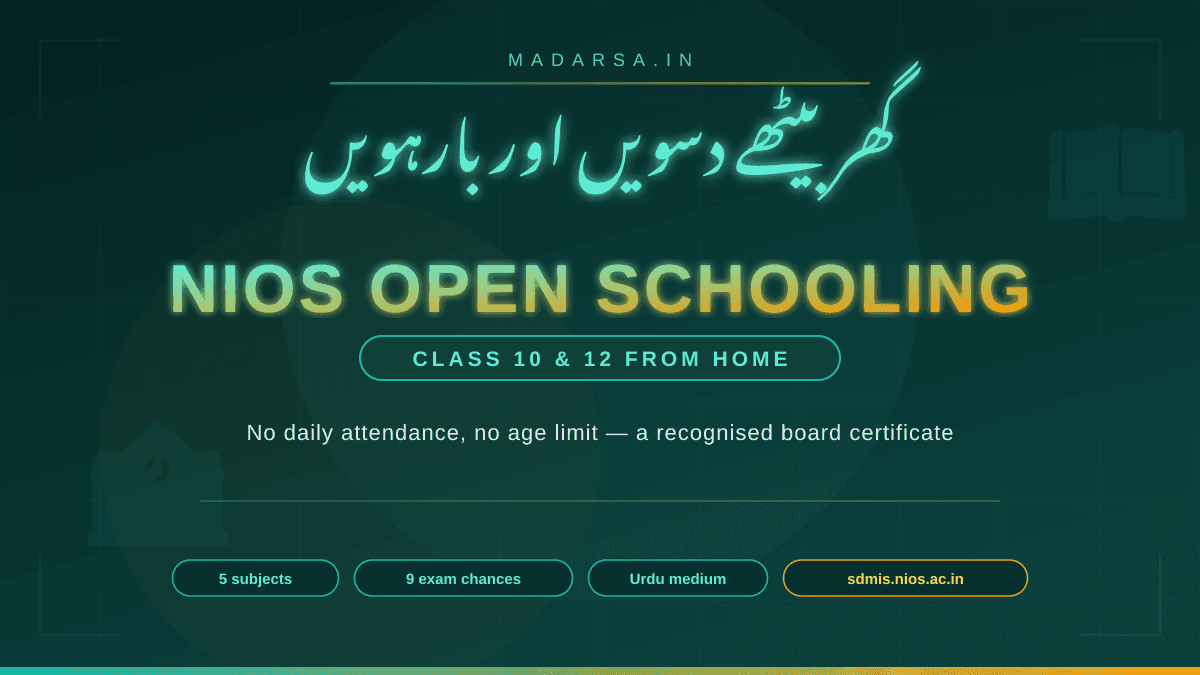
NIOS Open Schooling: How to Complete 10th and 12th From Home
NIOS is the Government of India's open school board — no daily attendance, no upper age limit, five subjects to pass and five years to do it in. This bilingual guide covers eligibility, the subject scheme, admission blocks, fees, the study-centre system, and what it all means for madrasa students.
Imranul Haque Noor
Nov 13, 2026