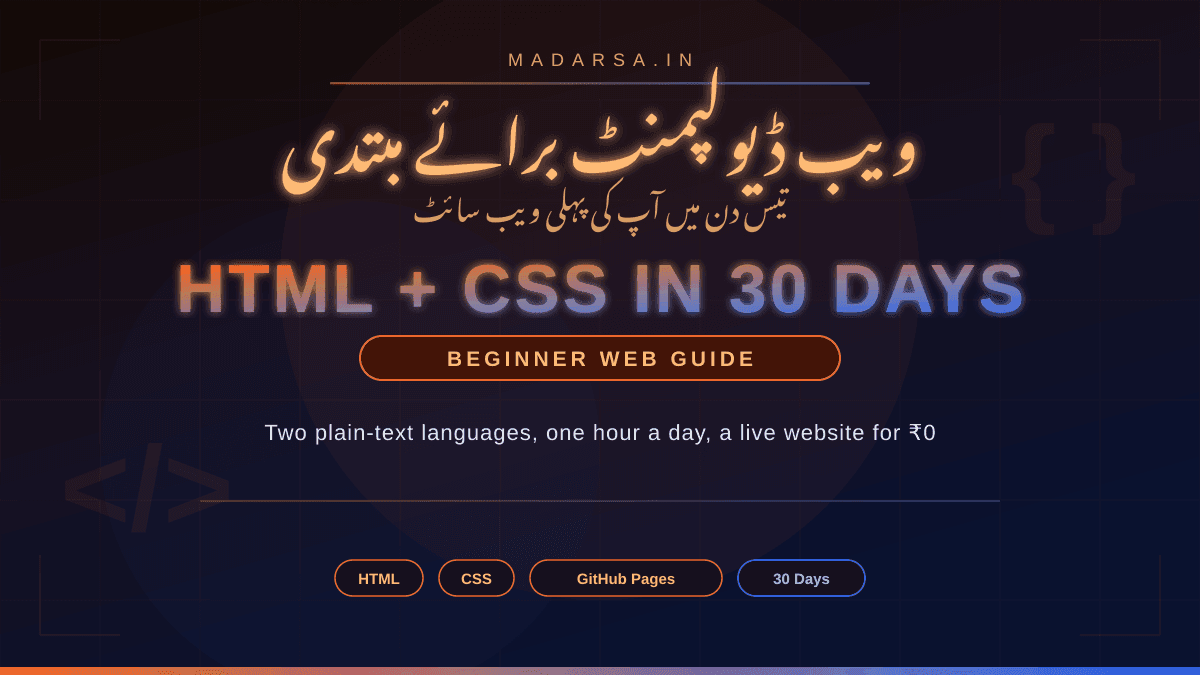
Web Development for Beginners: HTML, CSS and Your First Website in 30 Days
ویب ڈیولپمنٹ برائے مبتدی: ایچ ٹی ایم ایل، سی ایس ایس اور تیس دن میں پہلی ویب سائٹ

Imranul Haque Noor
An Engineer, an all time Learner and a Learning enabler.
🌐 Web Development for Beginners: HTML, CSS and Your First Website in 30 Days
Every website you have ever opened — Google, your college portal, a WhatsApp link — is built on two plain-text languages anyone can read. Here is what they are, what you need, a realistic 30-day plan of about one hour a day, and how to put your first site online for ₹0.
اردو ترجمہ — Urdu Translation
آپ نے آج تک جو بھی ویب سائٹ کھولی ہے — گوگل، کالج کا پورٹل، واٹس ایپ پر آیا کوئی لنک — وہ سب دو سادہ متن (plain text) والی زبانوں پر بنی ہے جنہیں کوئی بھی پڑھ سکتا ہے: ایچ ٹی ایم ایل (HTML) اور سی ایس ایس (CSS)۔ اِس مضمون میں ہم دیکھیں گے کہ یہ دونوں اصل میں ہیں کیا، شروع کرنے کے لیے آپ کو کیا چاہیے (فون سے بھی ممکن ہے)، روزانہ تقریباً ایک گھنٹے کا تیس دن کا ایک حقیقی منصوبہ، وہ مفت وسائل جو واقعی سکھاتے ہیں، اور اپنی پہلی ویب سائٹ کو بغیر ایک روپیہ خرچ کیے آن لائن کرنے کا طریقہ۔
✂️ A tailor's shop and a plain text file
Faizan's uncle runs a small tailoring shop. Customers keep asking on WhatsApp for the price list and the address, and his uncle types the same reply thirty times a day. Faizan has heard that "websites are for programmers" and that you need to pay someone. Then a friend shows him that a web page is just a text file with some labels in it — <h1>Noor Tailors</h1> — that any browser can open. Twenty-six days later his uncle's shop has a one-page site with the price list, a map link and a Call now button. The reply to every WhatsApp question is now one link.
Nothing in that story needed a degree, a paid course or even a fast laptop. It needed two things Faizan already had — a browser and a text editor — and a plan that did not try to teach him everything at once. That is what this guide is: the smallest set of skills that gets a real page online, in an order that works.
اردو ترجمہ — Urdu Translation
فیضان کے چچا بھوپال میں ایک چھوٹی سلائی کی دکان چلاتے ہیں۔ گاہک واٹس ایپ پر بار بار قیمتوں کی فہرست اور پتہ پوچھتے ہیں، اور چچا دن میں تیس بار وہی جواب ٹائپ کرتے ہیں۔ فیضان نے سنا تھا کہ "ویب سائٹ پروگرامرز کا کام ہے" اور کسی کو پیسے دینے پڑتے ہیں۔ پھر ایک دوست اُسے دکھاتا ہے کہ ویب پیج دراصل ایک سادہ متن کی فائل ہے جس میں کچھ لیبل لگے ہوتے ہیں — جیسے <h1>Noor Tailors</h1> — اور کوئی بھی براؤزر (browser) اُسے کھول سکتا ہے۔ چھبیس دن بعد چچا کی دکان کی ایک صفحے کی ویب سائٹ تیار ہے: قیمتوں کی فہرست، نقشے کا لنک اور "ابھی کال کریں" کا بٹن۔ اب ہر واٹس ایپ سوال کا جواب ایک لنک ہے۔ اِس کہانی میں نہ ڈگری چاہیے تھی، نہ فیس والا کورس، نہ تیز لیپ ٹاپ — بس ایک براؤزر، ایک ٹیکسٹ ایڈیٹر (text editor)، اور ایک ایسا منصوبہ جو سب کچھ ایک ساتھ سکھانے کی کوشش نہ کرے۔
🏠 What HTML, CSS and JavaScript actually are
Think of a web page as a house. HTML is the structure — the walls, rooms and doors. CSS is the paint, the furniture and the layout that make it pleasant to be in. JavaScript is the electricity — switches that make things happen when you press them. You can live in a house with no electricity. You cannot live in paint with no walls. That is why beginners start with HTML, then CSS, and leave JavaScript for later.
🧱 HTML — HyperText Markup Language
Plain text with tags that label each piece: <h1> for a heading, <p> for a paragraph, <img> for a picture, <a> for a link. Invented by Tim Berners-Lee at CERN; the first website went online in 1991.
🎨 CSS — Cascading Style Sheets
Rules that say how the labelled pieces should look: h1 { color: green; }. Colours, fonts, spacing, and — the hard part — where things sit on the screen. First proposed in 1994 by Håkon Wium Lie.
⚡ JavaScript — behaviour
The programming language that makes pages do things: open a menu, check a form, load new content without refreshing. Important, but it is a real programming language and deserves its own month. Not in this plan.
A useful fact for your confidence: HTML and CSS are not programming languages. There are no loops, no variables to track, no logic to debug. They are descriptions — of what is on the page and how it should look. If you can write a clear letter, you can learn to write HTML.
اردو ترجمہ — Urdu Translation
ویب پیج کو ایک گھر سمجھیں۔ ایچ ٹی ایم ایل (HTML) ڈھانچہ ہے — دیواریں، کمرے، دروازے۔ سی ایس ایس (CSS) رنگ و روغن، فرنیچر اور ترتیب ہے جو گھر کو خوشگوار بناتی ہے۔ جاوا اسکرپٹ (JavaScript) بجلی ہے — وہ سوئچ جن کو دبانے سے کچھ ہوتا ہے۔ بجلی کے بغیر گھر میں رہا جا سکتا ہے، مگر دیواروں کے بغیر رنگ میں نہیں۔ اِسی لیے مبتدی پہلے ایچ ٹی ایم ایل، پھر سی ایس ایس سیکھتے ہیں، اور جاوا اسکرپٹ بعد کے لیے چھوڑ دیتے ہیں۔ ایچ ٹی ایم ایل سادہ متن ہے جس میں ٹیگ (tags) ہر حصے کو نام دیتے ہیں: <h1> سرخی کے لیے، <p> پیراگراف کے لیے، <img> تصویر کے لیے، <a> لنک کے لیے۔ اِسے ٹم برنرز لی (Tim Berners-Lee) نے سرن (CERN) میں ایجاد کیا اور پہلی ویب سائٹ 1991 میں آن لائن ہوئی۔ سی ایس ایس وہ اصول ہیں جو بتاتے ہیں کہ نام دیے گئے حصے کیسے دکھیں: رنگ، فونٹ، فاصلہ، اور — مشکل حصہ — اسکرین پر چیزیں کہاں بیٹھیں؛ یہ 1994 میں ہاکون ویم لی (Håkon Wium Lie) نے تجویز کی۔ جاوا اسکرپٹ وہ پروگرامنگ زبان ہے جو صفحے سے کام کرواتی ہے — مینو کھولنا، فارم جانچنا — اہم ہے مگر اِسے اپنا الگ مہینہ چاہیے۔ اور ایک حوصلہ افزا بات: ایچ ٹی ایم ایل اور سی ایس ایس پروگرامنگ زبانیں نہیں ہیں — نہ لوپ، نہ ویری ایبل، نہ منطق۔ یہ محض بیان ہیں کہ صفحے پر کیا ہے اور کیسا دکھے۔ اگر آپ ایک صاف خط لکھ سکتے ہیں تو ایچ ٹی ایم ایل بھی سیکھ سکتے ہیں۔
📊 The numbers to remember
This plan is deliberately small and cheap. These are the only numbers you need to keep in your head:
اردو ترجمہ — Urdu Translation
یہ منصوبہ جان بوجھ کر چھوٹا اور سستا رکھا گیا ہے۔ بس یہ چند اعداد یاد رکھیں: پہلے سیکھنے کے لیے دو زبانیں — ایچ ٹی ایم ایل اور سی ایس ایس؛ تیس دن، چار ہفتہ وار حصوں میں؛ روزانہ تقریباً ایک گھنٹہ — تسلسل لمبی نشستوں سے بہتر ہے؛ اوزاروں، ہوسٹنگ (hosting) یا کورس پر صفر روپے؛ تیسویں دن تک ایک حقیقی ویب سائٹ آن لائن؛ اور اُس کے لیے جاوا اسکرپٹ کی صفر لائنیں۔
💻 What you need — laptop, phone, or just a browser
You need three things: somewhere to type the files, a browser to open them, and a way to see errors. A laptop is the most comfortable, but it is not a requirement for the first 30 days — many learners in India start on a phone and move to a laptop later.
| Setup | Editor | Good for | Honest limits |
|---|---|---|---|
| Laptop / desktop (any age, any OS) | VS Code (free, Microsoft) — or even Notepad | The whole plan, and everything after it | None really; an old laptop is fine for HTML/CSS |
| Android phone | Acode (free editor) + Chrome | Weeks 1–3, reading, small edits on the go | Small screen makes layout work slow; get to a laptop or a shared PC for week 4 if you can |
| Any device, browser only | CodePen (free online editor) | Day 1 experiments, sharing a snippet with a friend | Not your own files; you still need a folder on a device to publish a real site |
The one tool nobody tells beginners about
Your browser already contains a professional web-development toolkit. In Chrome, right-click any page and choose Inspect — the panel that opens (DevTools) shows you the live HTML and CSS of any website on earth, and lets you edit it on the spot to see what changes. Every working developer uses it daily. It is free, it is already installed, and it is the fastest way to learn how real sites are built.
اردو ترجمہ — Urdu Translation
آپ کو تین چیزیں چاہییں: فائلیں ٹائپ کرنے کی جگہ، اُنہیں کھولنے کے لیے ایک براؤزر، اور غلطیاں دیکھنے کا طریقہ۔ لیپ ٹاپ سب سے آرام دہ ہے مگر پہلے تیس دن کے لیے لازمی نہیں — ہندوستان میں بہت سے طلبہ فون سے شروع کرتے ہیں اور بعد میں لیپ ٹاپ پر جاتے ہیں۔ لیپ ٹاپ یا ڈیسک ٹاپ (کسی بھی عمر کا): وی ایس کوڈ (VS Code) — مائیکروسافٹ کا مفت ایڈیٹر — یا نوٹ پیڈ بھی چل جائے گا؛ پورے منصوبے کے لیے بہترین۔ اینڈرائیڈ فون: اے کوڈ (Acode) نامی مفت ایڈیٹر اور کروم؛ ہفتہ ایک سے تین کے لیے ٹھیک، مگر چھوٹی اسکرین پر ترتیب (layout) کا کام سست ہوتا ہے — چوتھے ہفتے کے لیے کوشش کریں کہ لیپ ٹاپ یا کسی مشترکہ کمپیوٹر تک رسائی ہو۔ صرف براؤزر: کوڈ پین (CodePen) آن لائن ایڈیٹر — پہلے دن کے تجربوں اور دوست کو کوڈ دکھانے کے لیے، مگر یہ آپ کی اپنی فائلیں نہیں۔ اور وہ ایک اوزار جو مبتدیوں کو کوئی نہیں بتاتا: آپ کے براؤزر میں پہلے سے ایک پیشہ ورانہ ٹول کِٹ موجود ہے۔ کروم میں کسی بھی صفحے پر رائٹ کلک کر کے Inspect چنیں — جو پینل کھلتا ہے (ڈیو ٹولز — DevTools) وہ دنیا کی کسی بھی ویب سائٹ کا زندہ ایچ ٹی ایم ایل اور سی ایس ایس دکھاتا ہے اور موقع پر بدل کر دیکھنے دیتا ہے کہ کیا بدلتا ہے۔ یہ مفت ہے، پہلے سے موجود ہے، اور یہ سیکھنے کا تیز ترین راستہ ہے کہ اصل سائٹیں کیسے بنی ہیں۔
🗓️ The 30-day plan
The plan has four blocks. The order is the important part: HTML first, because you cannot style what does not exist; CSS second; layout and mobile third, because that is where most beginners get stuck and it deserves its own week; and the last nine days spent building one real site and publishing it — not watching more videos.
Days 1–7 · HTML: build an ugly page that works
Learn the skeleton (<!DOCTYPE html>, <head>, <body>), then headings, paragraphs, lists, links, images, and a simple table. By day 7 you should have a three-page site about anything — your village, your favourite cricketer — with links between the pages. It will look like 1995. That is correct.
Days 8–14 · CSS: make it look like a website
Colours, fonts, the box model (margin, border, padding), classes and selectors. Link one style.css file to your pages. By day 14 your ugly page has a colour scheme, readable spacing and a font you chose on purpose.
Days 15–21 · Layout and mobile
This is the week most people quit, so slow down here. Learn Flexbox for rows and columns, then one media query so the page rearranges itself on a phone. Test on your own phone every day — most of your visitors will be on one.
Days 22–28 · Build one real site for one real person
Pick a real need (see ideas below). Plan it on paper first: what pages, what each page must answer. Then build it with only what you learned in weeks 1–3. Resist adding features. Finish.
Days 29–30 · Publish, test, share
Put it on GitHub Pages (free — steps below), open the link on three different phones, fix what breaks, and send the link to the person it is for. Day 30 ends with a URL, not a certificate.
Do not try to learn JavaScript, React, WordPress, Bootstrap or Tailwind in these 30 days. Every one of them assumes you already know HTML and CSS well. Adding them now is how a 30-day plan becomes a 30-week plan that never finishes.
اردو ترجمہ — Urdu Translation
منصوبے کے چار حصے ہیں، اور ترتیب ہی اصل بات ہے: پہلے ایچ ٹی ایم ایل، کیونکہ جو موجود ہی نہیں اُسے سجایا نہیں جا سکتا؛ دوسرے سی ایس ایس؛ تیسرے ترتیب اور موبائل، کیونکہ یہیں زیادہ تر مبتدی پھنستے ہیں اور اِسے اپنا الگ ہفتہ چاہیے؛ اور آخری نو دن ایک حقیقی سائٹ بنانے اور شائع کرنے میں — مزید ویڈیوز دیکھنے میں نہیں۔ دن 1 تا 7 — ایچ ٹی ایم ایل: ڈھانچہ (<!DOCTYPE html>، <head>، <body>)، پھر سرخیاں، پیراگراف، فہرستیں، لنک، تصویریں اور ایک سادہ جدول۔ ساتویں دن تک کسی بھی موضوع پر تین صفحوں کی سائٹ ہو جس کے صفحے آپس میں جڑے ہوں — وہ 1995 جیسی دکھے گی، اور یہی درست ہے۔ دن 8 تا 14 — سی ایس ایس: رنگ، فونٹ، باکس ماڈل (box model) یعنی مارجن، بارڈر، پیڈنگ؛ کلاسز اور سلیکٹرز؛ ایک style.css فائل صفحوں سے جوڑیں۔ دن 15 تا 21 — ترتیب اور موبائل: یہ وہ ہفتہ ہے جہاں لوگ چھوڑ دیتے ہیں، اِس لیے یہاں رفتار کم کریں۔ قطاروں اور کالموں کے لیے فلیکس باکس (Flexbox) سیکھیں، پھر ایک میڈیا کوئری (media query) تاکہ صفحہ فون پر خود کو ترتیب دے۔ روز اپنے فون پر جانچیں۔ دن 22 تا 28 — ایک حقیقی شخص کے لیے ایک حقیقی سائٹ: پہلے کاغذ پر منصوبہ بنائیں، پھر صرف اُسی سے بنائیں جو تین ہفتوں میں سیکھا؛ نئے فیچر شامل کرنے سے بچیں؛ مکمل کریں۔ دن 29 تا 30 — شائع کریں، جانچیں، بھیجیں: گِٹ ہب پیجز (GitHub Pages) پر مفت ڈالیں، تین مختلف فونوں پر کھولیں، جو ٹوٹے اُسے ٹھیک کریں، اور لنک اُس شخص کو بھیجیں جس کے لیے بنائی ہے۔ تیسواں دن ایک یو آر ایل (URL) پر ختم ہوتا ہے، سرٹیفکیٹ پر نہیں۔ اور خبردار: اِن تیس دنوں میں جاوا اسکرپٹ، ری ایکٹ، ورڈپریس، بوٹ اسٹریپ یا ٹیل ونڈ سیکھنے کی کوشش نہ کریں — یہ سب فرض کرتے ہیں کہ آپ کو ایچ ٹی ایم ایل اور سی ایس ایس پہلے سے اچھی طرح آتی ہے۔
💡 Ideas for your first real website
The best first site is for a real person who will actually use it — not an imaginary startup. Pressure from a real user is what makes you finish. Pick one of these, or the obvious equivalent in your own life:
✂️ A family or neighbourhood business
A tailor, a kirana shop, a tuition centre, a mobile-repair stall. One page: what they do, prices, timings, a map link, a tap-to-call button. This is the most useful site on this list.
🕌 A mosque or madrasa notice page
Prayer timetable, Friday announcements, how to contribute, contact numbers. Replaces the WhatsApp forward that nobody can find three days later.
🏏 A club or a class
Your cricket team, your batch, a Quran-study circle: members, schedule, photos, results. Small, fun, and you have a built-in audience who will tell you what is broken.
👤 Your own one-page profile
Name, photo, what you are studying, skills, a few things you have made, how to reach you. This becomes the link you put on your resume and LinkedIn later.
اردو ترجمہ — Urdu Translation
بہترین پہلی سائٹ وہ ہے جو کسی حقیقی شخص کے لیے ہو جو اُسے واقعی استعمال کرے گا — کسی خیالی اسٹارٹ اپ کے لیے نہیں۔ حقیقی استعمال کرنے والے کا دباؤ ہی آپ سے کام مکمل کرواتا ہے۔ کچھ خیالات: خاندان یا محلے کا کاروبار — درزی، کریانہ، ٹیوشن سینٹر، موبائل رپیئر کا اسٹال؛ ایک صفحہ: کام، قیمتیں، اوقات، نقشے کا لنک، کال کا بٹن — اِس فہرست کی سب سے مفید سائٹ۔ مسجد یا مدرسے کا اعلانات کا صفحہ — نماز کے اوقات، جمعہ کے اعلانات، تعاون کا طریقہ، رابطہ نمبر؛ اُس واٹس ایپ فارورڈ کی جگہ جو تین دن بعد کسی کو نہیں ملتا۔ کوئی کلب یا کلاس — کرکٹ ٹیم، آپ کا بیچ، قرآن کا حلقہ: ارکان، شیڈول، تصویریں، نتائج۔ اپنا ایک صفحے کا تعارف — نام، تصویر، تعلیم، مہارتیں، بنائی ہوئی چیزیں، رابطہ؛ یہی لنک بعد میں آپ کے ریزیومے (resume) اور لنکڈ اِن (LinkedIn) پر جائے گا۔
📚 Free resources that actually teach (in the order to use them)
There is more free web-development material online than anyone could finish in a lifetime, which is exactly the problem. Use one main course and one reference, and ignore the rest until day 30.
🏕️ freeCodeCamp — Responsive Web Design (main course)
Free, browser-based, no setup. You type real HTML and CSS in the page and it checks your work step by step, building small projects as you go. Start here on day 1 and follow it through weeks 1–3. freecodecamp.org
📖 MDN Web Docs — your reference
Written and maintained by Mozilla (the Firefox people). When you need to know what a tag or a CSS property does, search "mdn" plus the name. Its beginner guides are also excellent. developer.mozilla.org
⚔️ The Odin Project — if you prefer working in real files
A free, open-source curriculum whose Foundations course walks you through setting up a real editor, folders and GitHub from day one. Slightly steeper than freeCodeCamp; a good alternative if you have a laptop. theodinproject.com
🔍 W3Schools — quick look-ups and a "Try it" button
Less rigorous than MDN but very beginner-friendly, with a live editor beside every example. Use it to quickly test a tag; use MDN when you want the correct full picture. w3schools.com
Stuck on an error at 11 pm with nobody to ask? Paste the code and the problem into a free AI assistant and ask it to explain, not to rewrite. "Why is my image not showing?" teaches you something; "build me the site" teaches you nothing. Our guide on using AI for learning, not cheating has a routine for this.
اردو ترجمہ — Urdu Translation
آن لائن اتنا مفت مواد ہے کہ کوئی پوری زندگی میں ختم نہ کر سکے — اور یہی مسئلہ ہے۔ ایک مرکزی کورس اور ایک حوالہ استعمال کریں، باقی سب تیسویں دن تک نظر انداز کریں۔ فری کوڈ کیمپ — ریسپانسو ویب ڈیزائن (freeCodeCamp — Responsive Web Design): مفت، براؤزر میں، کوئی سیٹ اپ نہیں؛ آپ صفحے میں ہی اصل ایچ ٹی ایم ایل اور سی ایس ایس ٹائپ کرتے ہیں اور یہ قدم بہ قدم جانچتا ہے۔ پہلے دن یہیں سے شروع کریں اور ہفتہ ایک سے تین تک ساتھ چلیں۔ ایم ڈی این ویب ڈاکس (MDN Web Docs): موزیلا (Mozilla) کا تیار کردہ حوالہ — جب جاننا ہو کہ کوئی ٹیگ یا پراپرٹی کیا کرتی ہے تو "mdn" کے ساتھ اُس کا نام تلاش کریں۔ دی اوڈن پروجیکٹ (The Odin Project): مفت اور اوپن سورس نصاب جو پہلے دن سے اصل ایڈیٹر، فولڈرز اور گِٹ ہب سکھاتا ہے؛ فری کوڈ کیمپ سے تھوڑا مشکل، لیپ ٹاپ ہو تو اچھا متبادل۔ ڈبلیو تھری اسکولز (W3Schools): ہر مثال کے ساتھ "Try it" کا زندہ ایڈیٹر — فوری جانچ کے لیے اچھا، مکمل اور درست تصویر کے لیے ایم ڈی این۔ اور اگر رات گیارہ بجے کوئی غلطی آئے اور پوچھنے والا کوئی نہ ہو، تو کوڈ اور مسئلہ کسی مفت اے آئی (AI) اسسٹنٹ کو دیں اور سمجھانے کو کہیں، دوبارہ لکھنے کو نہیں — "میری تصویر کیوں نہیں دکھ رہی؟" کچھ سکھاتا ہے، "میری سائٹ بنا دو" کچھ نہیں۔
🚀 Publish it for ₹0 with GitHub Pages
A website on your laptop is a file. A website on the internet is a link. GitHub — the site where most of the world's open-source code lives — will host a simple HTML/CSS site for free through a feature called GitHub Pages. Your site gets an address like yourname.github.io. The steps, in plain words:
Create a free GitHub account
At github.com. Pick a username you would be happy to show an employer — it becomes part of your web address.
Create a repository named exactly yourname.github.io
A repository is just a folder GitHub keeps for you. Make it public. Using your username with .github.io at the end is what tells GitHub to serve it as a website.
Upload your files
Use the "Add file → Upload files" button in the browser — no command line needed for a first site. Your home page must be called index.html.
Wait a minute, then open the link
Visit https://yourname.github.io. The first build can take a few minutes. When it opens, that is your website — on the real internet, from any phone in the world.
Why this matters more than it looks
A live link is proof. It is what you show the shop owner, what you put on a resume, what you send to a cousin abroad. Nobody can argue with a URL. And GitHub Pages is not a toy — many professional portfolios and documentation sites run on it. The official guide is at pages.github.com.
اردو ترجمہ — Urdu Translation
لیپ ٹاپ پر ویب سائٹ ایک فائل ہے؛ انٹرنیٹ پر ویب سائٹ ایک لنک ہے۔ گِٹ ہب (GitHub) — وہ سائٹ جہاں دنیا کا زیادہ تر اوپن سورس کوڈ رہتا ہے — گِٹ ہب پیجز (GitHub Pages) نامی سہولت کے ذریعے ایک سادہ ایچ ٹی ایم ایل/سی ایس ایس سائٹ مفت ہوسٹ کرتی ہے، اور آپ کو yourname.github.io جیسا پتہ ملتا ہے۔ قدم: (۱) github.com پر مفت اکاؤنٹ بنائیں — ایسا یوزر نیم چنیں جو آپ کسی آجر کو دکھا سکیں، کیونکہ یہ آپ کے ویب پتے کا حصہ بنے گا۔ (۲) بالکل yourname.github.io نام کی ایک ریپوزٹری (repository) بنائیں — ریپوزٹری بس ایک فولڈر ہے جو گِٹ ہب آپ کے لیے رکھتا ہے؛ اُسے پبلک رکھیں۔ (۳) براؤزر میں "Add file → Upload files" سے اپنی فائلیں اپ لوڈ کریں — پہلی سائٹ کے لیے کمانڈ لائن کی ضرورت نہیں؛ ہوم پیج کا نام لازماً index.html ہو۔ (۴) ایک منٹ انتظار کریں اور https://yourname.github.io کھولیں — پہلی بار چند منٹ لگ سکتے ہیں۔ جب کھل جائے تو یہ آپ کی ویب سائٹ ہے، اصل انٹرنیٹ پر، دنیا کے کسی بھی فون سے۔ زندہ لنک ثبوت ہے — یہی دکاندار کو دکھانا ہے، یہی ریزیومے پر لکھنا ہے۔ اور گِٹ ہب پیجز کھلونا نہیں: بہت سے پیشہ ورانہ پورٹ فولیو اِسی پر چلتے ہیں۔
⚠️ Five mistakes that stop beginners
Tutorial hell
Watching a 10-hour YouTube course start to finish, then realising you cannot write a page from a blank file. Fix: for every hour of watching, spend an hour building something without the video open.
Memorising tags instead of looking them up
Nobody remembers every tag and property; professionals search MDN all day. Learn the twenty you use constantly; look up the rest.
Jumping to frameworks on day 5
React, Bootstrap, Tailwind and WordPress all sit on top of HTML and CSS. Learning them first is building the second floor of a house before the ground floor. They can wait until your first site is live.
Paying for a course before using the free ones
There is nothing in a ₹5,000 beginner HTML course that freeCodeCamp and MDN do not teach for free. If you later want structure and mentorship, pay for that — but not before day 30.
Waiting for the perfect laptop
The first three weeks run fine on a phone, a borrowed PC or a cyber café machine. Start with what you have today; let the website earn the laptop.
اردو ترجمہ — Urdu Translation
پانچ غلطیاں جو مبتدیوں کو روک دیتی ہیں: (۱) ٹیوٹوریل کا جال (tutorial hell) — دس گھنٹے کا یوٹیوب کورس شروع سے آخر تک دیکھنا اور پھر احساس ہونا کہ خالی فائل سے ایک صفحہ بھی نہیں لکھ سکتے؛ حل: دیکھنے کے ہر گھنٹے کے بدلے ایک گھنٹہ ویڈیو بند کر کے کچھ بنائیں۔ (۲) ٹیگ رٹنا — ہر ٹیگ اور پراپرٹی کسی کو یاد نہیں؛ پیشہ ور دن بھر ایم ڈی این پر تلاش کرتے ہیں۔ جو بیس چیزیں مسلسل استعمال ہوتی ہیں وہ سیکھیں، باقی دیکھ لیں۔ (۳) پانچویں دن فریم ورک پر کود جانا — ری ایکٹ، بوٹ اسٹریپ، ٹیل ونڈ اور ورڈپریس سب ایچ ٹی ایم ایل اور سی ایس ایس کے اوپر بیٹھے ہیں؛ اُنہیں پہلے سیکھنا گراؤنڈ فلور سے پہلے دوسری منزل بنانا ہے۔ (۴) مفت وسائل آزمانے سے پہلے کورس خریدنا — پانچ ہزار روپے کے مبتدی کورس میں کچھ ایسا نہیں جو فری کوڈ کیمپ اور ایم ڈی این مفت نہ سکھاتے ہوں؛ بعد میں ترتیب اور رہنمائی چاہیے تو اُس کے پیسے دیں، مگر تیسویں دن سے پہلے نہیں۔ (۵) بہترین لیپ ٹاپ کا انتظار — پہلے تین ہفتے فون، مستعار پی سی یا سائبر کیفے کی مشین پر چل جاتے ہیں؛ آج جو ہے اُس سے شروع کریں، لیپ ٹاپ ویب سائٹ کو کمانے دیں۔
🌙 For Urdu speakers and madrasa graduates: a real advantage
Here is something most English-first tutorials never mention. The web has a built-in way to handle right-to-left languages — a single attribute, dir="rtl", plus lang="ur" or lang="ar" — and fonts like Noto Nastaliq Urdu are available free from Google Fonts. Most developers find RTL layouts confusing because they have never read a right-to-left script. If you grew up reading Urdu and Arabic, you already have the instinct they lack.
That is not a small thing. Madrasas, mosques, Urdu publishers, Islamic bookshops and community organisations across India and the Gulf need simple, well-built Urdu and Arabic web pages — and very few people can build them properly. Make your first site bilingual, English and Urdu, and you have already done something most bootcamp graduates cannot. When you are ready to take on small paid work, our freelancing for beginners guide covers how to find and price it honestly.
اردو ترجمہ — Urdu Translation
یہ بات انگریزی کے زیادہ تر ٹیوٹوریل کبھی نہیں بتاتے۔ ویب میں دائیں سے بائیں (right-to-left) زبانوں کے لیے ایک بنا بنایا طریقہ موجود ہے — ایک اکیلا ایٹری بیوٹ (attribute) dir="rtl"، ساتھ میں lang="ur" یا lang="ar" — اور نوٹو نستعلیق اردو (Noto Nastaliq Urdu) جیسے فونٹ گوگل فونٹس سے مفت ملتے ہیں۔ زیادہ تر ڈیولپرز کو آر ٹی ایل ترتیب اُلجھن میں ڈالتی ہے کیونکہ اُنہوں نے کبھی دائیں سے بائیں رسم الخط پڑھا ہی نہیں۔ اگر آپ اردو اور عربی پڑھتے ہوئے بڑے ہوئے ہیں تو وہ فطری سمجھ آپ کے پاس پہلے سے ہے جو اُن کے پاس نہیں۔ یہ چھوٹی بات نہیں: ہندوستان اور خلیج میں مدارس، مساجد، اردو ناشرین، اسلامی کتب خانے اور سماجی تنظیموں کو سادہ اور صحیح بنے اردو اور عربی ویب پیج چاہییں — اور بہت کم لوگ اُنہیں ٹھیک سے بنا سکتے ہیں۔ اپنی پہلی سائٹ انگریزی اور اردو، دونوں میں بنائیں، اور آپ وہ کر چکے ہوں گے جو زیادہ تر بوٹ کیمپ کے فارغین نہیں کر سکتے۔ جب چھوٹا معاوضہ والا کام لینے کے لیے تیار ہوں تو فری لانسنگ کی ہماری رہنما تحریر دیکھیں کہ کام کیسے ڈھونڈیں اور ایمانداری سے قیمت کیسے لگائیں۔
🧭 After day 30 — what you can and cannot do yet
Honesty matters here. After 30 days you can build and publish a clean, mobile-friendly, multi-page static website — the kind a shop, a school, a club or a professional profile needs. You cannot yet build a login system, an online shop with a cart, or an app. That takes JavaScript and, later, a back-end language, and it is normal for that to take many more months.
| After 30 days you can… | Not yet — that comes next |
|---|---|
| Build a multi-page site from a blank file | Make buttons and menus respond (JavaScript) |
| Make it look good on phone and laptop | Logins, forms that save data, payments (back-end) |
| Publish it on a free, real URL | Custom domain like noortailors.in (cheap, but a separate small step) |
| Read and fix someone else's HTML/CSS | Work in React, Next.js or WordPress themes |
| Build an Urdu / Arabic RTL page correctly | Charge professional rates — a few more finished sites first |
The right next step is simple: JavaScript for 30 days, using the same rhythm — freeCodeCamp's JavaScript course as the spine, one real feature (a menu, a form check, a prayer-time countdown) added to the site you already built. Keep that site alive; every new skill goes into it.
اردو ترجمہ — Urdu Translation
یہاں ایمانداری ضروری ہے۔ تیس دن بعد آپ ایک صاف، موبائل پر درست، کئی صفحوں والی ساکن (static) ویب سائٹ بنا اور شائع کر سکتے ہیں — جیسی دکان، اسکول، کلب یا پیشہ ورانہ تعارف کو چاہیے۔ آپ ابھی لاگ اِن کا نظام، خریداری کی ٹوکری والی آن لائن دکان، یا کوئی ایپ نہیں بنا سکتے — اُس کے لیے جاوا اسکرپٹ اور بعد میں بیک اینڈ (back-end) زبان چاہیے، اور اُس میں مزید کئی مہینے لگنا معمول ہے۔ تیس دن بعد آپ کر سکتے ہیں: خالی فائل سے کئی صفحوں کی سائٹ بنانا؛ فون اور لیپ ٹاپ دونوں پر اچھا دکھانا؛ مفت اور حقیقی یو آر ایل پر شائع کرنا؛ کسی اور کا ایچ ٹی ایم ایل/سی ایس ایس پڑھنا اور ٹھیک کرنا؛ اردو/عربی آر ٹی ایل صفحہ درست بنانا۔ ابھی نہیں: بٹن اور مینو کا ردِعمل (جاوا اسکرپٹ)؛ لاگ اِن، ڈیٹا محفوظ کرنے والے فارم، ادائیگی (بیک اینڈ)؛ noortailors.in جیسا اپنا ڈومین (سستا ہے مگر الگ چھوٹا قدم)؛ ری ایکٹ، نیکسٹ جے ایس یا ورڈپریس تھیمز؛ پیشہ ورانہ معاوضہ — پہلے چند اور مکمل سائٹیں۔ اگلا درست قدم سادہ ہے: تیس دن جاوا اسکرپٹ، اُسی انداز میں — فری کوڈ کیمپ کا جاوا اسکرپٹ کورس ریڑھ کی ہڈی، اور ایک حقیقی فیچر (مینو، فارم کی جانچ، نماز کے وقت کی گنتی) اُسی سائٹ میں شامل جو آپ بنا چکے ہیں۔ اُس سائٹ کو زندہ رکھیں؛ ہر نئی مہارت اُسی میں جائے۔
✅ Day 1 is today
You do not need to understand everything above before you begin. Open a text editor, type <h1>Hello</h1>, save the file as index.html, and open it in your browser. If you see a big "Hello", you have just written your first web page. That is day 1. The other twenty-nine are the same thing, a little bigger each time.
If files, folders and typing itself still feel unfamiliar, spend a few days first with our free Basic Computer & Digital Skills course — it covers exactly the ground this plan assumes. Bismillah — start today.
📚 Sources & further reading
- MDN Web Docs, Learn web development — Mozilla's beginner curriculum and reference for HTML and CSS.
- freeCodeCamp, Responsive Web Design certification — free, browser-based HTML/CSS course.
- The Odin Project, Foundations course — free open-source curriculum.
- GitHub, GitHub Pages — official guide to free static-site hosting.
- CERN, info.cern.ch — the first website, restored at its original 1991 address, with CERN's history of Tim Berners-Lee's invention.
- W3C, A brief history of CSS — Håkon Wium Lie's 1994 proposal.
- Related Madarsa guides: using AI for learning and freelancing for beginners.
Enjoyed this article?
Subscribe to our newsletter for more articles, tutorials, and insights delivered straight to your inbox.
Related Posts
Cybersecurity Basics: Protect Your Phone, UPI and Email from Fraud
You do not need to be technical to stay safe online — you need a few habits, four phone settings and one helpline number. A practical bilingual guide to the five-link chain every scam follows, the one UPI rule that stops most fraud, how to secure your email, the six scams doing the rounds in India, and exactly what to do in the first hour if money has already gone.
Imranul Haque Noor
Nov 13, 2026